Deploy Alerts Fusion from the ZIP package
If your organisation deploys SharePoint apps manually, APPS 365 support can send you the Alerts Fusion package to upload to your own app catalog.
What is in the package
Request the Alerts Fusion SPFx web part from APPS 365 support, then unzip the file you receive. It contains two files:
APPS365AlertsFusion.sppkg: the web part package for modern pagesAlertsFusion_SharePoint_User_Guide.pdf: the deployment and user guide
Deploy the package
- Make sure an app catalog site is set up in your tenant. If it is not, create one first using Microsoft's instructions for the SharePoint admin center.
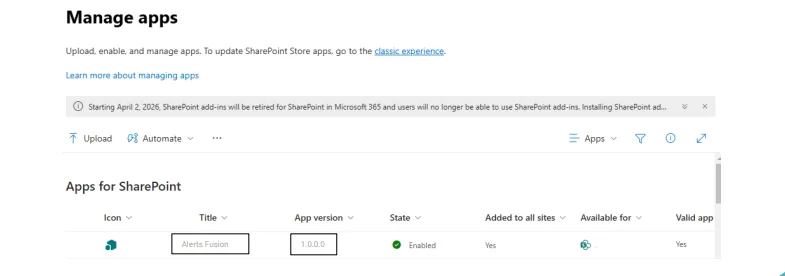
- Open your app catalog site and select Apps for SharePoint in the left navigation.
- Upload
APPS365AlertsFusion.sppkg. SharePoint asks whether you trust the app. - Select Deploy. The Alerts Fusion web part is now available in your tenant and can be used on any site.
- Check the App Package Error Message column for the package. It should say No errors.