
Target audience
Audience targeting decides who sees an Alerts Fusion alert. Leave it off to show the alert to everyone who can see the page, or turn it on to limit it to chosen groups and people.
Settings
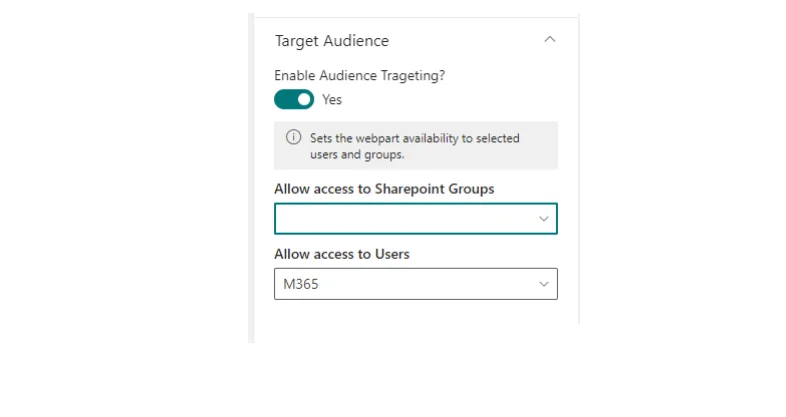
- Enable audience targeting
- Turns targeting on for this web part, so its visibility follows the groups and users you choose.
- Allow access to SharePoint groups
- Visible when targeting is on. Choose one or more SharePoint groups as the audience.
- Allow access to users
- Visible when targeting is on. Choose individual site users as the audience.
Tips
- You can combine groups and individual users in the same alert.
- Use several Alerts Fusion web parts on one page to send different messages to different audiences.
- Targeting controls who sees the alert. It does not change who can open the page itself.