
Use Alerts Fusion in Microsoft Teams
Alerts Fusion can also be added to a Microsoft Teams channel as a tab, so the same alerts and content reach people where they work.
Check the app is available in Teams
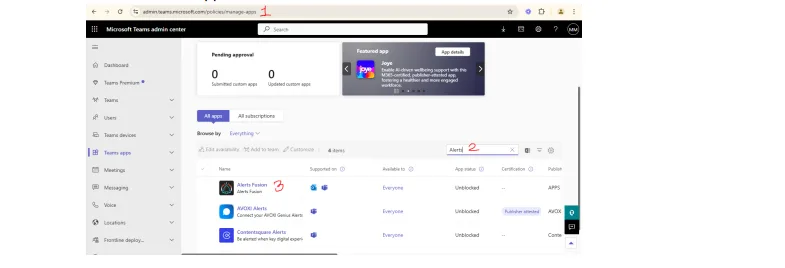
- Go to Teams admin center > Manage apps (
https://admin.teams.microsoft.com/policies/manage-apps) and check that Alerts Fusion is listed and allowed.
Add it to a channel
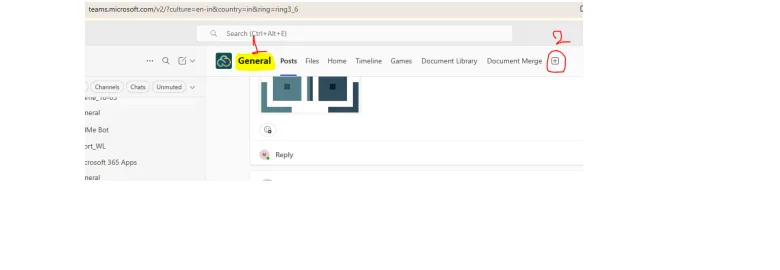
- Open the channel where you want Alerts Fusion, select + to add a tab and choose Alerts Fusion.
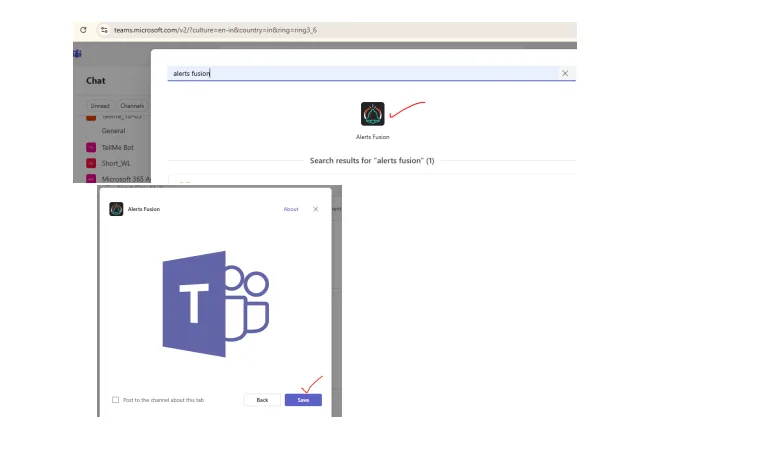
- Save the tab. Alerts Fusion now appears as a tab in the channel, and you can customise it further from its settings.